PUT to LIGHT
High productivity picking with the Put to Light system






Advanced picking systems built to work seamlessly with Modula vertical automatic warehouses, helping operations run faster and more efficiently.
Built around the latest warehouse technology, these systems make the picking process quicker, simpler, and more accurate at every step. In a vertical warehouse where space is at a premium, items can be retrieved in seconds – cutting down on errors and helping orders get out the door faster. Touch screen displays, Put-to-Light technology, wearable devices, and smart displays all work together to guide operators through the process with minimal effort.
The outcome is a warehouse that runs more smoothly, with less pressure on operators and a noticeable improvement in how daily operations are managed. Picking that works smarter.
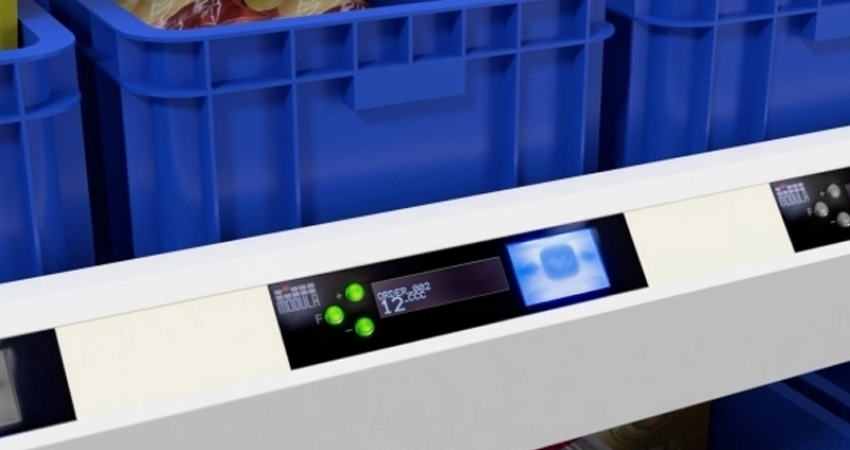
Put To Light systems are a valuable visual support for picking.
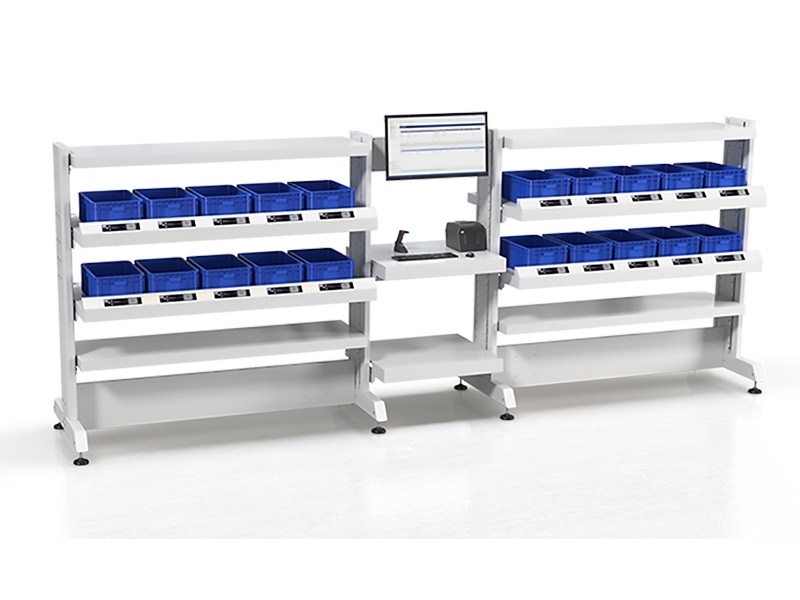
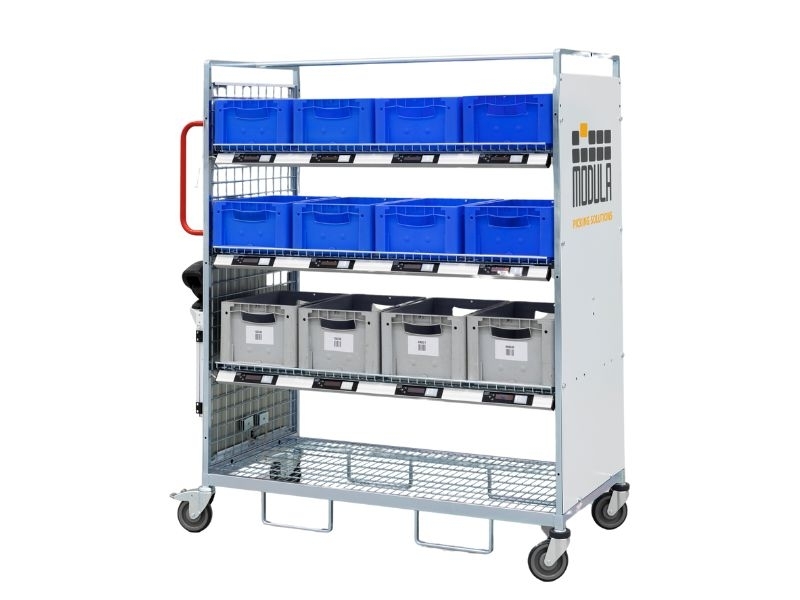
Using light displays positioned at each order preparation station, the system signals to operators exactly which container the picked item should be placed into. Guided by WMS software that optimises item movement, Put-to-Light allows operators to work across multiple orders at the same time, pulling items from several automated warehouses simultaneously.
When multiple orders need to be fulfilled together, overall productivity improves – the combined picking time across all orders comes in well below what it would take to complete each one individually.
How it works
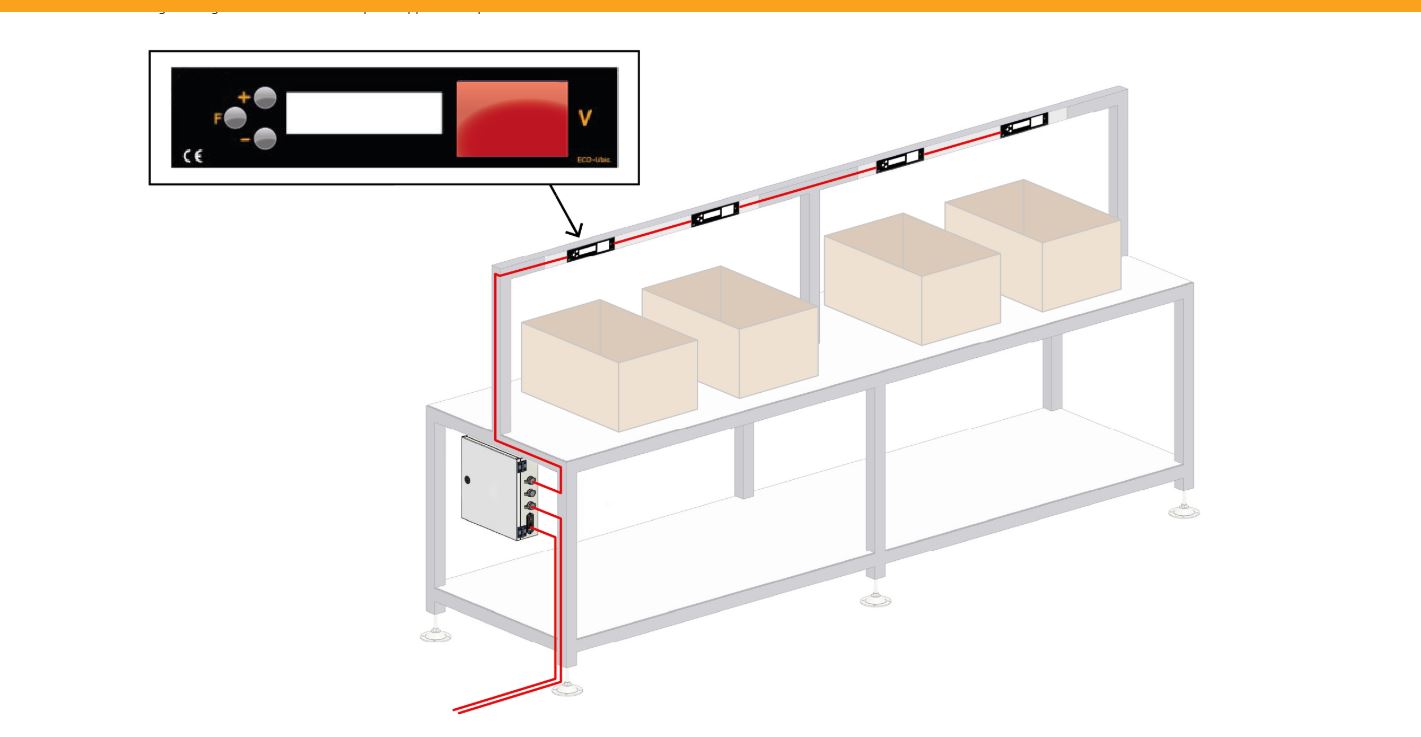
Each display can handle up to 7 bays or 7 operators. For larger operations requiring more bays or additional operators, extra displays can be added and controlled from the same Put-to-Light device.
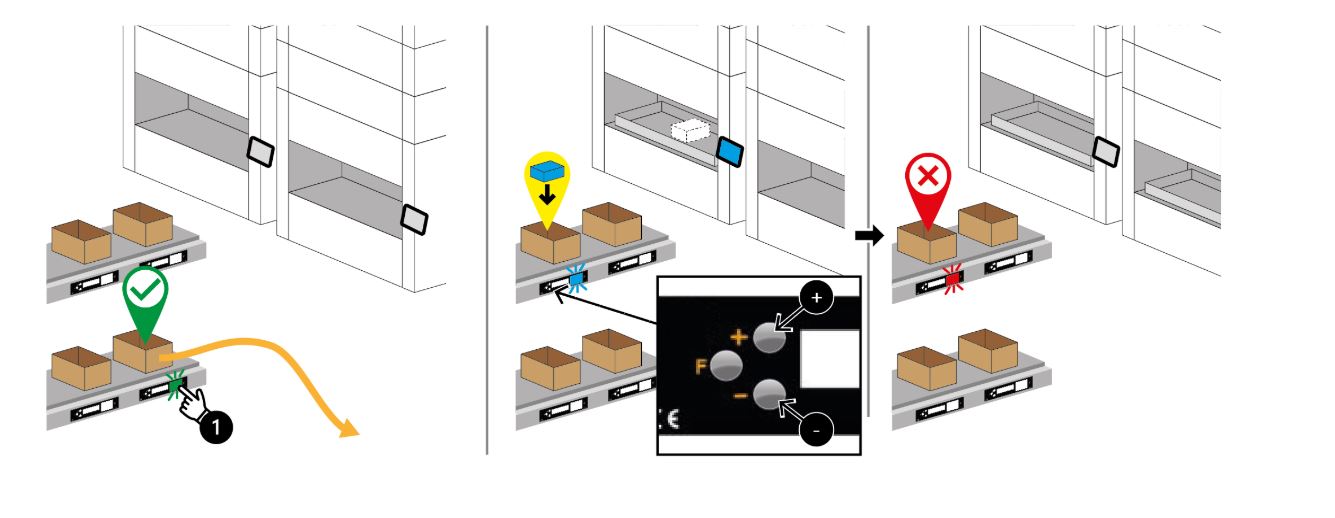
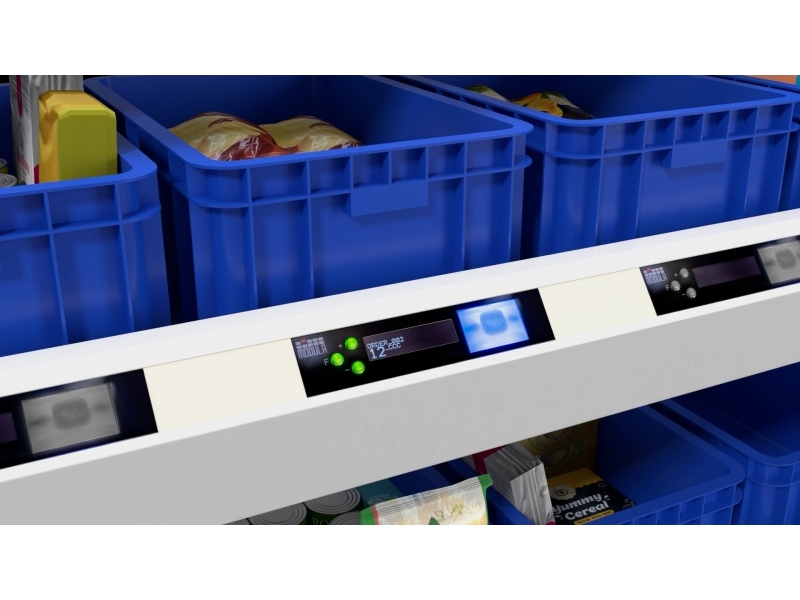
During picking, the display shows the operator the quantity to confirm, the item, and the relevant order. Each station is assigned a picking order through the WMS, and the display at that station shows only the information relevant to that assignment.
The operator collects items from the warehouse and, following the display instructions, places them at the station linked to their assigned order. Once the correct quantity has been deposited, the operator confirms by pressing the illuminated button, and the display advances to the next picking task.
This continues until every line on the order has been completed.
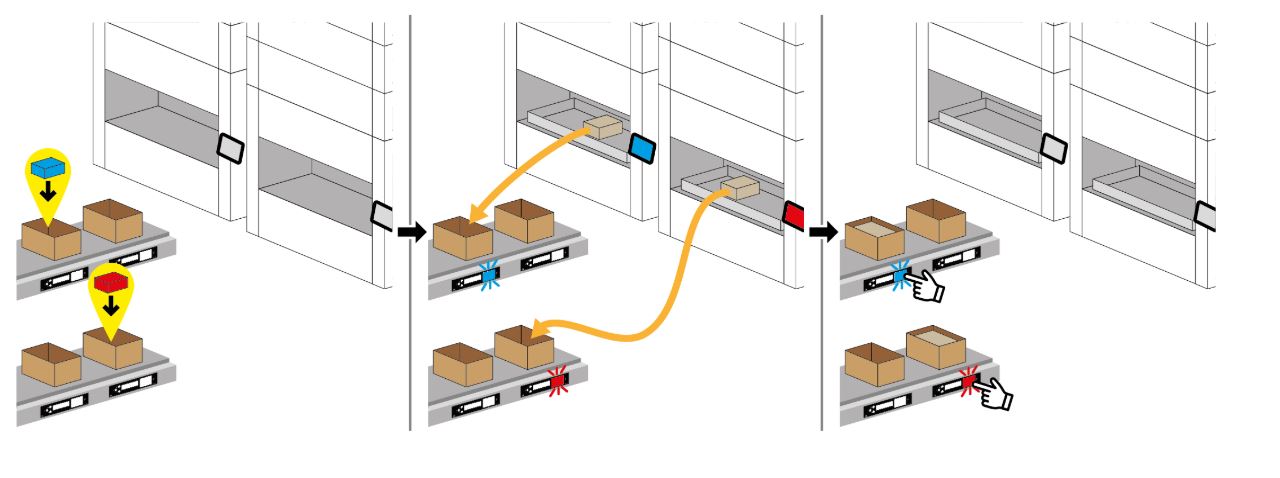
When an order is fully fulfilled, the display shows a status message and the button illuminates – both the message text and colour can be configured to suit the operation. The station can then be cleared and reassigned to a new order.
If the quantity confirmed is less than what was required, the order is flagged as incomplete and reported back to the WMS.